
AI Design Engine
Analyze PDF and image drawings, interpret project metadata, and receive NFPA 72 device placement suggestions with confidence scoring.
Upload construction drawings and receive NFPA 72 design recommendations, material takeoffs, compliance checklists, and exportable reports — built for the pre-bid estimation stage.
No credit card required • Plans from $99/mo • PE review workflow included
Compliance Score
0%
Minutes
Not days — average estimate turnaround
NFPA 72
Compliant design logic built in
50 MB
Per file upload limit
PDF + CSV
Bid-ready export formats
Platform Modules
BuildCode Pro automates the pre-bid stage with AI design, material takeoffs, compliance validation, and exportable deliverables.
Analyze PDF and image drawings, interpret project metadata, and receive NFPA 72 device placement suggestions with confidence scoring.
Auto-generate device counts, wiring quantities, conduit estimates, and category-grouped BOM line items for accurate bids.
Occupancy-based NFPA rules, jurisdiction notes, and pass / review-needed flags so nothing slips through before PE review.
Deliver PDF reports, CSV takeoffs, print layouts, and email sharing — everything estimators need to submit proposals fast.
End-to-End Flow
The same workflow your team uses inside the app — streamlined for rapid fire alarm estimation and bidding.
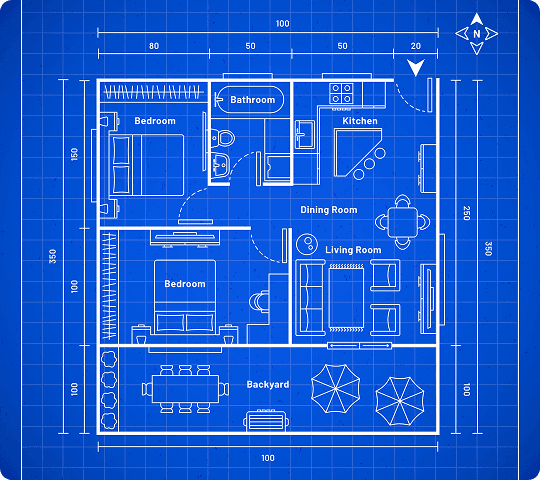
Drop PDF, PNG, JPG, JPEG, or WEBP floor plans. Multiple files per project, up to 50 MB each.
Address, jurisdiction, occupancy, square footage, floors, and optional building features drive code logic.
The engine interprets drawings, applies NFPA 72 rules, and generates recommendations, BOM, and compliance output.
Refine results, track version history, and export bid-ready PDF and CSV packages in minutes.
< 15 min
Typical time to first results
4 deliverables
Design, BOM, compliance & narrative
1 workflow
From upload to bid-ready export
Ready to run your first estimate?
Start the wizard — upload drawings and get AI results in minutes.
Built For Your Team
Contractors, estimators, and licensed engineers each get a purpose-built workspace with the right permissions and workflows.
Win more bids with faster pre-bid estimates when engineering resources are limited.
Generate BOMs, get code guidance, and export reports without manual takeoff spreadsheets.
Review AI output, approve designs, and support permit submission with structured checklists.
Subscription Plans
Monthly design limits that match how fire alarm contractors work — upgrade anytime as your pipeline grows.
$99 /mo
5 designs / month
$249 /mo
25 designs / month
$599 /mo
Unlimited designs / month
Join fire alarm contractors using AI to accelerate NFPA 72 design, BOM generation, and compliance review — without replacing licensed engineering oversight.